
Purchasing Tax Compliance

Turn AP transactions and invoice evidence into use-tax accruals, overpayment findings, and filing-ready purchasing-tax outputs.

  • Vendor-charged tax, expected tax, use-tax due, and overpayment on one line
  • Invoice-linked review, reason codes, corrections, and reviewer history
  • Purchasing return packages and recovery handoffs where supported
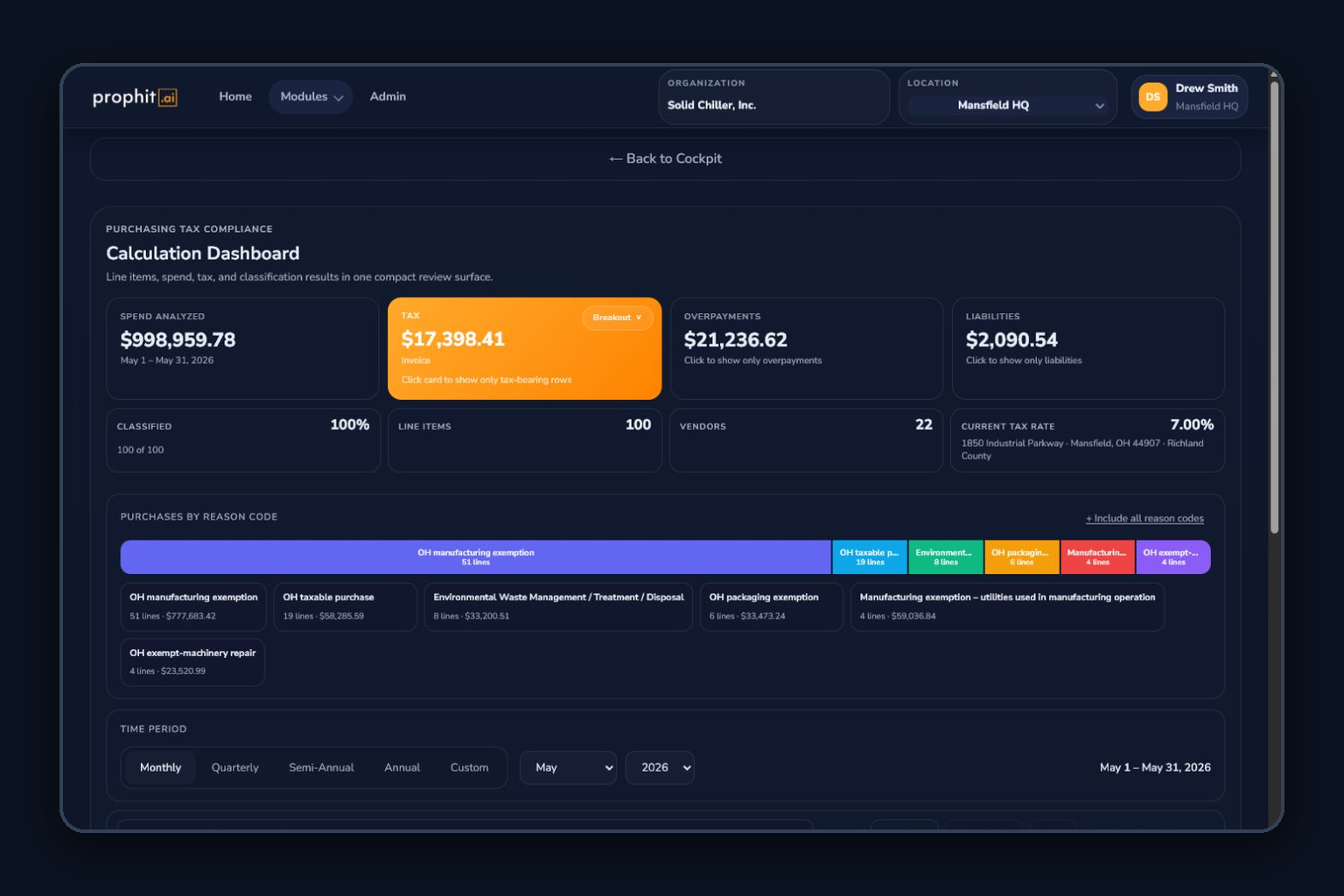
Purchasing Tax Compliance calculation dashboard

How the work moves through ITMS

Purchasing Tax Compliance is the use-tax and vendor-tax review workspace for AP, finance, and tax teams. It compares what a vendor charged with the treatment expected from the purchase, location, product or service, and exemption facts.

The module connects high-volume ingestion and document evidence to classification, reason-coded review, tax corrections, period readiness, refunds or recovery handoff, and purchasing return packages.

Inputs
  • AP and purchase transactions
  • Invoice PDFs, contracts, POs, receipts, and document metadata
  • Vendor, product or service, jurisdiction, exemption, and tax-paid facts
  • Reason-code catalogs, review labels, and period filing setup
Operational outputs
  • Reviewed expected-tax, use-tax, and overpayment determinations
  • Evidence-linked corrections and determination history
  • Period liability, readiness, recovery, and refund-opportunity views
  • Purchasing return packages and state-specific artifacts where supported

From AP source files to an explainable tax position

Each material conclusion stays connected to its source transaction, invoice evidence, derivation context, and reviewer action.

  1. 01

    Ingest purchases and documents

    Upload mapped AP data, invoices, contracts, purchase orders, and receipts or use configured accounting and ERP feeds for the active location.

  2. 02

    Link and extract invoice evidence

    Associate documents to purchase lines and use OCR or AI-assisted extraction where enabled, with the source evidence available to the reviewer.

  3. 03

    Classify the purchase

    Apply product or service identity, jurisdiction, exemption, reason-code, and vendor context. Reviewer confirmation finalizes model-assisted suggestions.

  4. 04

    Compare paid tax with expected tax

    Calculate tax paid, expected tax, underpayment or consumer’s-use liability, and potential overpayment using shared rounding and decision controls.

  5. 05

    Resolve and prioritize exceptions

    Filter by amount, reason, readiness, evidence, and materiality; correct tax facts, label lines, undo changes, and retain determination history.

  6. 06

    Accrue, recover, or prepare the return

    Roll reviewed results into period readiness, return packages, state artifacts, purchasing exemption workflows, or One-Click Reverse Audit recovery intake.

What your team can operate

AP and invoice operations

Work with the purchase record and the document that supports it.

  • Large mapped-file imports, batch monitoring, validation, and import history
  • Invoice linking, document preview, OCR evidence, and provenance
  • Mapped Workday purchasing reports and finance-system files; SAP, Oracle Fusion Cloud, and NetSuite purchasing adapters are not yet available
  • Manual facts and overrides with preview, save, undo, and history controls

Use-tax decisioning

Separate exposure from recoverable dollars and explain why.

  • Vendor-charged tax compared with expected tax at line and period level
  • Consumer’s-use, vendor-use, reverse-charge, underpayment, and overpayment outcomes
  • Reason codes, classification confidence, materiality, and reviewer labeling
  • Certificate-aware treatment and purchasing exemption candidate workflows

Period close and follow-through

Convert reviewed AP lines into operational next steps.

  • Cockpit KPIs, period readiness, state liability rollups, and exception queues
  • Purchasing return packages, forms, worksheets, and state artifacts where supported
  • Organization-wide Purchasing Returns Center visibility
  • Recovery-opportunity handoff to One-Click Reverse Audit and claim workflows

What stays explicit

Reviewable AI

Extraction and classification suggestions expose confidence and evidence. Reviewers control corrections, labels, accrual impact, and recovery claims.

Financial precision

Shared basis, effective-rate, rounding, tax-paid credit, tolerance, and liability seams keep API and module decisions aligned.

State support is lane-specific

Return packages and form generation follow explicit state and filing-lane readiness; unsupported outputs remain blocked or clearly identified.

Core purchasing compliance with configurable depth

Purchasing Tax Compliance is available across plans. High-volume document processing, multi-location review, ERP connections, state return packages, and recovery workflows depend on plan and configuration.

Ready to plan the next step?

Show us the AP sources, invoice formats, review thresholds, filing obligations, and recovery goals that shape your purchasing-tax program.

  • Sales-side and purchasing-side exemption certificate management are included in every plan, or standalone from $49/month per side.
  • AI-native since 2019: AI reads your documents, classifies every transaction for taxability, validates exemption certificates, and answers questions in-app — checked against published state rules, with a person approving every material decision.
  • Human review is a designed control: filing-ready outputs are approved by a reviewer, and unresolved facts fail closed instead of being guessed.