
Analytics & Reporting

See the tax questions, deadlines, exceptions, and operating trends behind each enabled module.

  • Entitlement-aware module carousel scoped to the active location
  • Purpose-built visual stories for compliance, certificates, recovery, matrix, invoices, and API usage
  • Loading, empty, and error states that distinguish missing data from zero activity
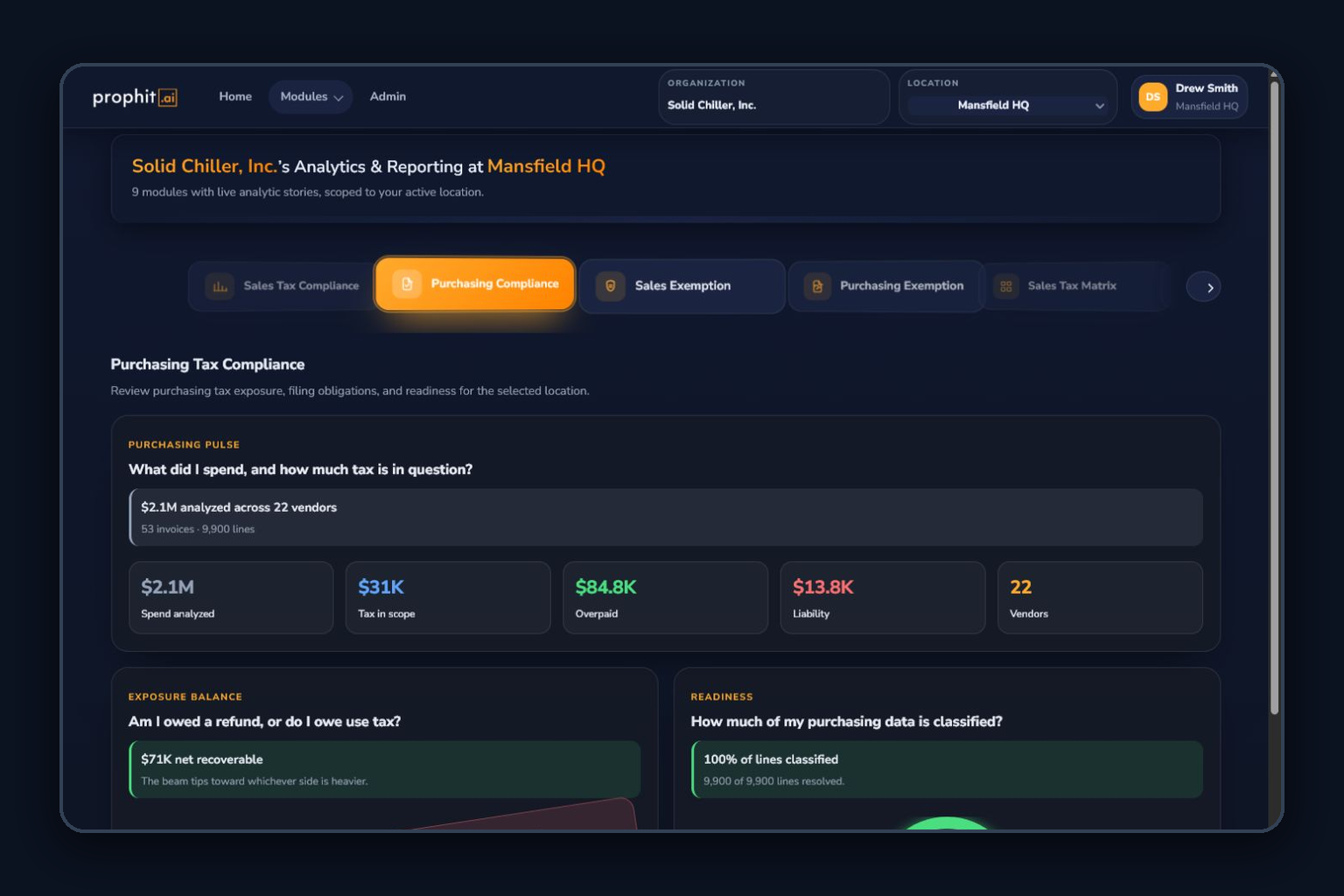
Analytics and Reporting purchasing compliance dashboard

How the work moves through ITMS

Analytics & Reporting automatically presents analytic story decks for modules active at the selected location. Each deck is organized around the operating questions that matter for that workflow, using the same scoped data the team reviews in the underlying module.

Current live decks cover Sales Tax Compliance, Purchasing Tax Compliance, both certificate managers, One-Click Reverse Audit, Sales Tax Matrix, Invoice Auto-Processing, and API Access. The interface only shows activated modules with an available story deck.

Inputs
  • Active organization, location, module entitlements, and module status
  • Sales, purchasing, certificate, recovery, matrix, invoice, and API operational summaries
  • Dates, states, statuses, values, counts, and readiness signals from module APIs
Operational outputs
  • Module-specific KPI and narrative cards
  • State maps, gauges, funnels, treemaps, timelines, balance views, and status clusters
  • Prioritized operational questions that lead back to the underlying workflow

Analytics that starts with the module question

Instead of forcing every workflow into one chart template, the analytics surface selects the visual story that best explains the module’s current state.

  1. 01

    Select organization and location

    Analytics uses the same active scope and access controls as the operational modules.

  2. 02

    Discover available story decks

    The carousel includes only modules that are active for the location and have a registered analytics story.

  3. 03

    Open the module narrative

    Choose Sales Tax, Purchasing Tax, certificates, recovery, matrix, invoices, or API Access to see the questions and KPIs specific to that workflow.

  4. 04

    Read totals in context

    Use maps, gauges, funnels, treemaps, timelines, balance views, and status clusters with labels that explain what the values represent.

  5. 05

    Separate no data from no risk

    Purpose-built loading, empty, partial, and error states prevent a missing response from looking like a clean tax position.

  6. 06

    Return to the operating module

    Use the analytic story to prioritize review in the source module, where transaction, certificate, document, or filing actions are performed.

What your team can operate

Compliance stories

Understand readiness, exposure, and timing on both sides of the ledger.

  • Sales Tax Compliance posture, collection, nexus, deadlines, and state views
  • Purchasing Tax Compliance tax-paid, expected-tax, use-tax, and overpayment stories
  • Location-specific module and data scoping
  • Tax-specific visual explanations for readiness, exposure, timing, and review volume

Certificates and recovery

See document health and recoverable opportunity before it becomes urgent.

  • Sales and purchasing certificate inventory, status, expiration, and state views
  • One-Click Reverse Audit opportunity, exposure, and claim-oriented stories
  • Status and materiality cues for prioritizing follow-up
  • Explicit empty and partial-data states

Automation and integration

Monitor the systems that feed and accelerate compliance.

  • Sales Tax Matrix quality and processing stories
  • Invoice Auto-Processing throughput and exception stories
  • API Access traffic, response, and integration-operating views
  • Registry-driven addition of future module stories without changing the navigation model

What stays explicit

Only active, supported stories appear

The module rail filters by location activation and registered story coverage. Configuration and Analytics are excluded from their own deck list.

Placeholder coverage stays labeled

AI Assistant and Voluntary Disclosure story placeholders are intentionally excluded from claims of complete live analytic coverage.

Organization and location scope stays enforced

Organization, location, entitlement, and user access remain part of every analytic request and module selection.

Professional analytics with module-aware depth

Analytics & Reporting is included on Professional and Enterprise plans. The stories visible to a user depend on activated modules, data availability, and location access.

Ready to plan the next step?

See the story decks available for your active modules, locations, data sources, and reporting priorities.