
Intelligence & Automation

Ask across the platform, improve tax matrices, and process invoice batches with review controls around every recommendation.

  • Conversational questions and scoped assistance across entitled modules
  • Matrix upload, evaluation, normalization, validation, and export
  • Invoice batch extraction, cleanup, exception handling, and downstream handoff
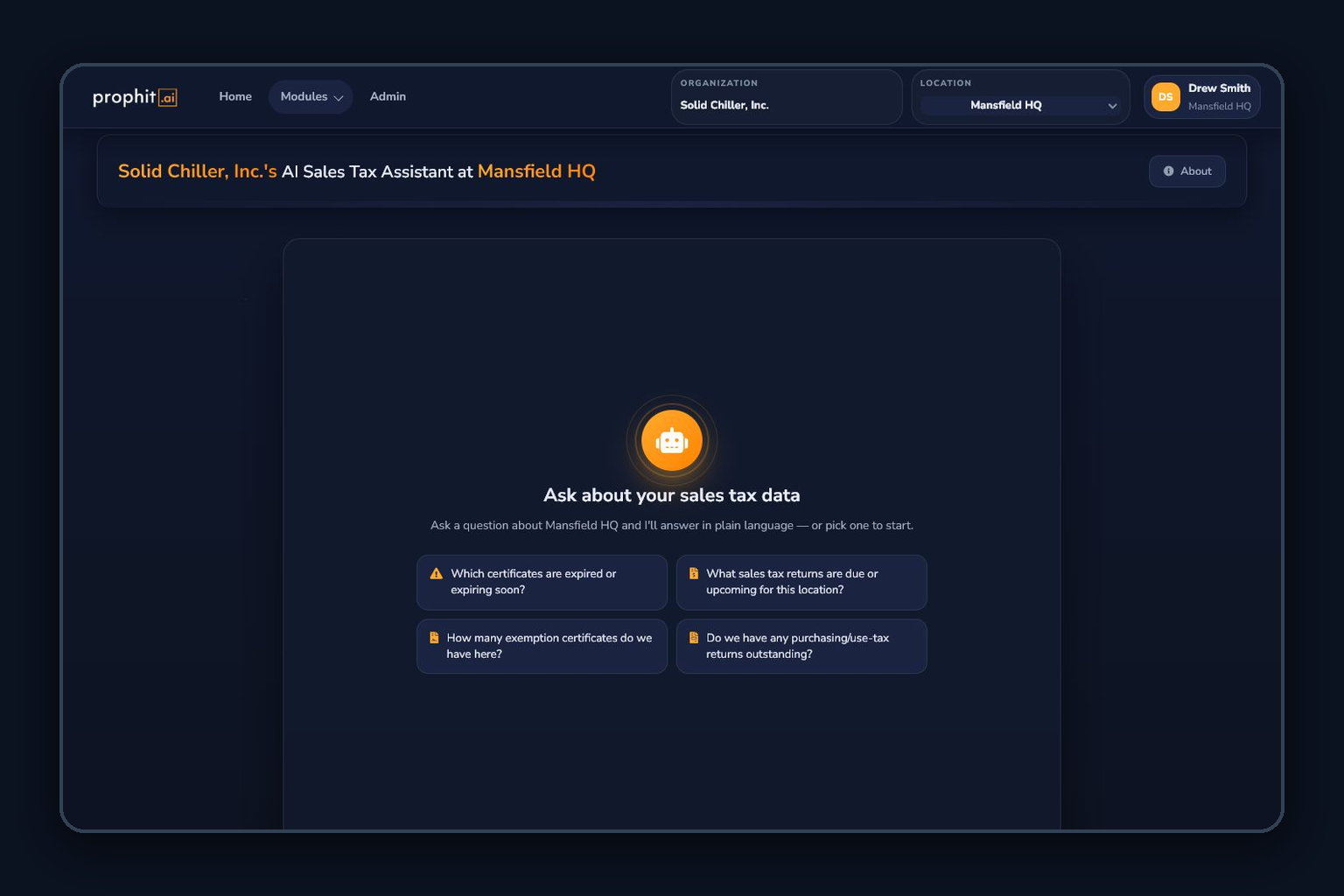
Intelligence and Automation AI assistant

How the work moves through ITMS

Intelligence & Automation is an umbrella for the AI Sales Tax Assistant, Sales Tax Matrix, and Invoice Auto-Processing. Each solves a different operating problem: cross-module inquiry and task support, taxability-matrix quality, or document-to-data preparation.

These tools connect to compliance data and workflows where enabled, while keeping the source context, recommendation, and human decision distinguishable.

Inputs
  • Entitled module data and conversation files
  • Existing sales-tax matrix or tax-engine exports
  • Invoice PDFs, images, and batch metadata
  • Tenant configuration, product codes, and reviewer context
Operational outputs
  • Grounded answers and reviewable task preparation
  • Matrix findings, normalized previews, validation issues, and downloads
  • Extracted invoice facts, processing status, and exception queues
  • Approved handoffs to connected module workflows

Use the right automation layer for the job

The command layer, configuration layer, and document-processing layer stay separate so teams can understand what the system did and approve what happens next.

  1. 01

    Choose the operating context

    Scope the Assistant to entitled modules, upload a tax matrix for review, or create an invoice-processing batch for the active location.

  2. 02

    Bring the source material

    Use module data, conversation files, matrix exports, invoice PDFs, or batch metadata appropriate to the workflow.

  3. 03

    Generate structured assistance

    Receive grounded answers, matrix findings and remapping suggestions, or extracted invoice facts with visible processing state.

  4. 04

    Review the result

    Inspect cited context, original-versus-normalized matrix previews, validation issues, invoice exceptions, and confidence or status signals.

  5. 05

    Approve the next action

    Keep tax judgment, matrix adoption, exception resolution, and downstream workflow decisions with authorized people.

  6. 06

    Connect to operations

    Use approved outputs in sales, purchasing, exemption, API, configuration, or document workflows where the tenant is configured for the connection.

What your team can operate

AI Sales Tax Assistant

A conversational command surface across the ITMS context you are allowed to use.

  • Natural-language questions about module data and operating context
  • Conversation history, scoped module selection, and file-supported analysis
  • Reviewable explanations and citations where source context is available
  • Task and workflow preparation with human oversight where enabled

Sales Tax Matrix

A controlled workspace for cleaning up a taxability configuration layer.

  • Original matrix upload, storage, and preview
  • AI-assisted category, code, mapping, and consistency evaluation
  • Normalized preview, validation findings, and suggested remappings
  • Original and normalized downloads for reviewer-controlled adoption

Invoice Auto-Processing

Convert unstructured invoice batches into reviewable downstream data.

  • Batch intake, document handling, and processing status
  • Extraction and normalization of invoice facts where enabled
  • Exception and failed-document queues with retained processing status
  • Handoff to purchasing, document, and compliance workflows where configured

What stays explicit

Reviewer-controlled automation

The Assistant, matrix recommendations, and invoice extraction accelerate work. Filing and configuration authority remains with authorized reviewers.

Access follows entitlement

The Assistant and automation surfaces only use module and location context available to the active organization and user.

Configuration-dependent actions

Agentic tasks, downstream handoffs, and advanced processing depend on enabled tools, plan, connectors, and tenant setup.

Professional and Enterprise intelligence

The AI Sales Tax Assistant is available on Professional and Enterprise plans. Sales Tax Matrix, Invoice Auto-Processing, and deeper agentic workflows are add-on or configured capabilities.

Ready to plan the next step?

See how your module access, source data, review authority, and configured tools shape the intelligence workflows available to your team.